
Client management
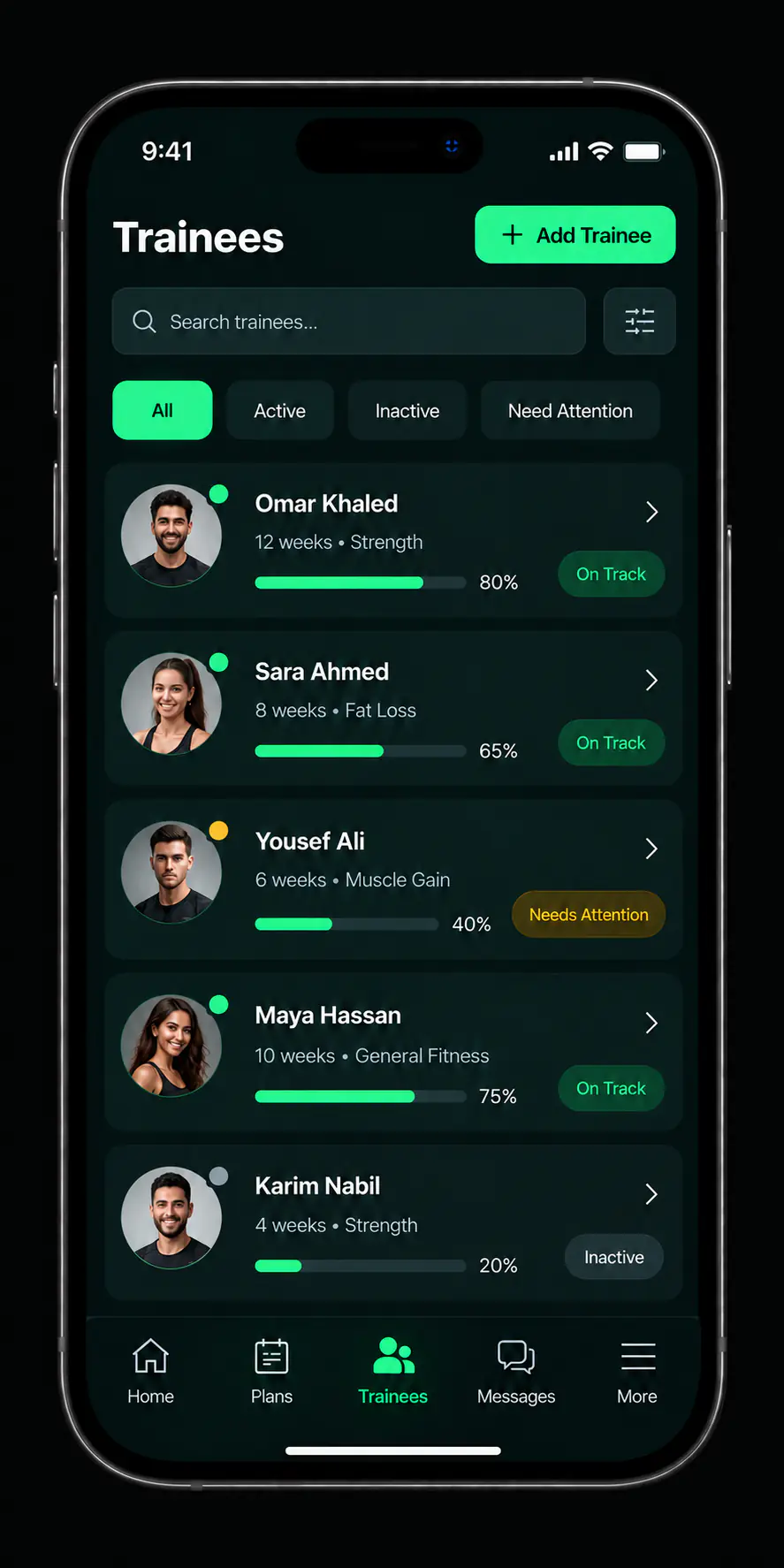
Every client in one list
Your roster, your plan library, and follow-up that tells you who kept up before you ask. The work stops living in a side spreadsheet and a folder of chat threads.
Get the app to start
-
1
List for every client
-
4
Step workflow
-
0
Spreadsheets needed
The workflow
Four steps that repeat with every client you take on.
-
Add the client
They enter your list with a profile that holds their details and their follow-up record.
-
Build a plan
Lay out the workout or nutrition plan with its days and its detail.
-
Assign it
Link the plan to the right client and it is delivered. No second message from you.
-
Follow progress
Read completion and direction, then adjust the plan against what actually happened.
A profile per client, not a row in a sheet
Details, current plan, and follow-up history gathered under one name.
- One place to lookEveryone you coach sits in a single list instead of scattered across old conversations.
- History stays attachedThe record follows the client rather than living in whichever thread you last used.
- Status before contactYou know where someone stands before you open the conversation, so the message starts further along.

Build once, assign as often as it fits
A plan you wrote in January can go to the next client who needs it without being retyped.
- CreateArrange days, exercises, and their detail into a complete plan.
- EditUpdate the plan when a client's situation or goals change.
- AssignLink it to the client and it is delivered from there.
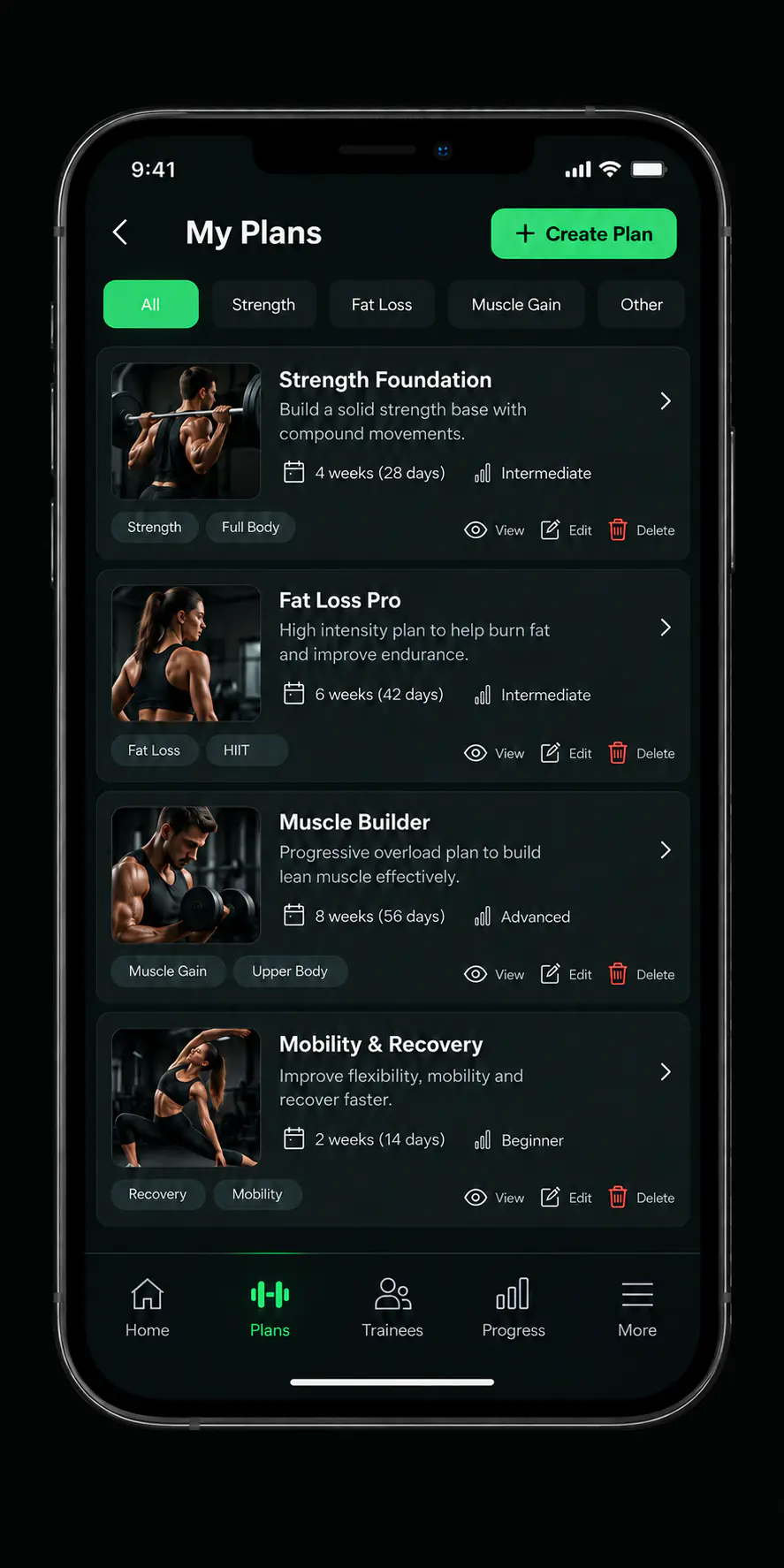
Conceptual interface derived from product design files, not a screenshot of the published build.
Follow-up built on the record, not an impression
Completion data tells you who to call this week. Memory does not.
- Completion trackingWho finished their plan and who fell behind, without asking each one.
- Direction over timeThe cumulative picture rather than a single day's reading.
- A basis for the next decisionPlan changes follow what was logged instead of guesswork.
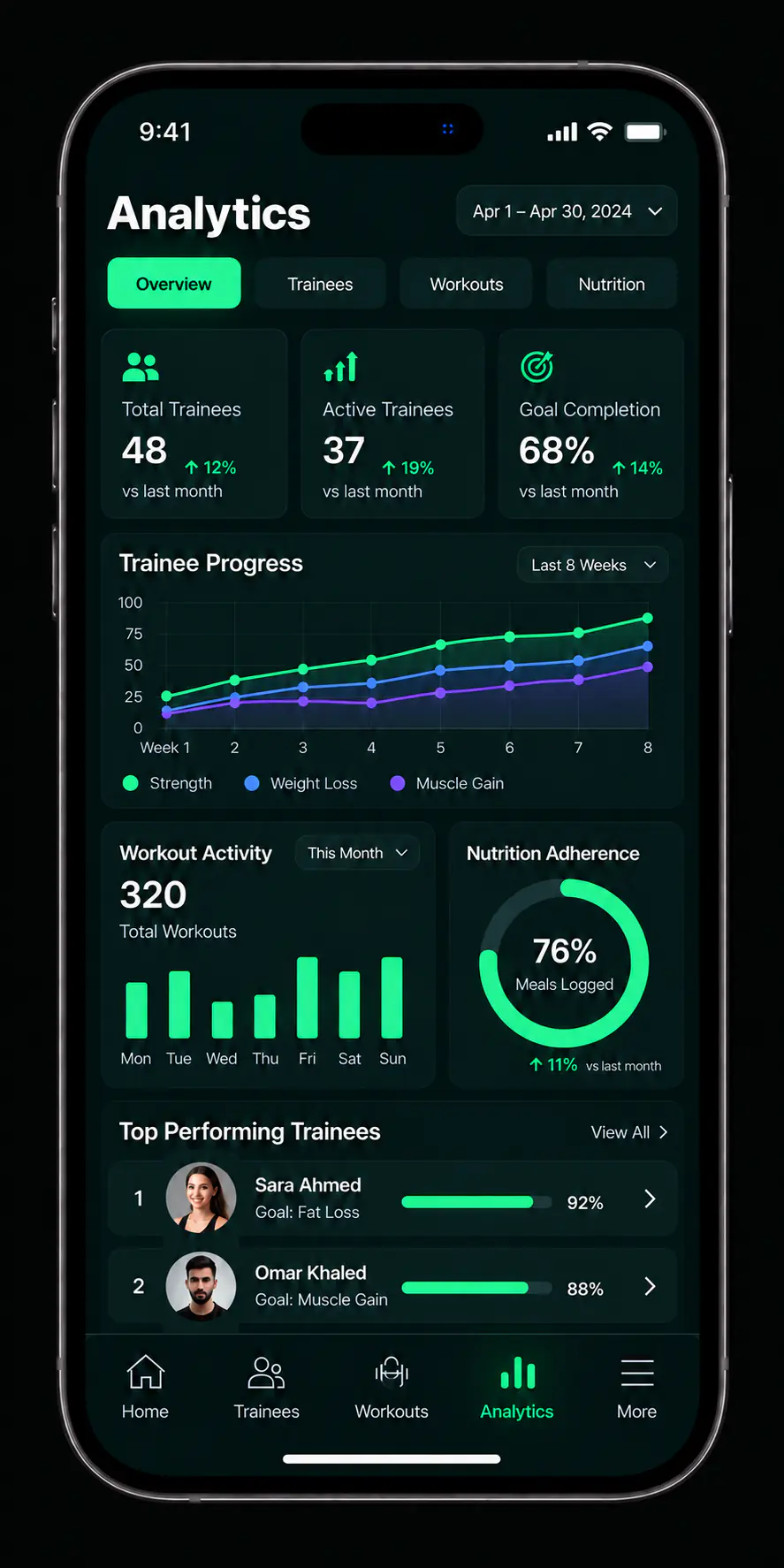
Conceptual interface derived from product design files, not a screenshot of the published build.
What sits behind the list
Each capability has a page of its own.
What is live, and what is not yet
In the published app today
- Client list
- Plan library
- Workout plans
- Nutrition plans
- Progress analytics
Not approved for publication yet
In-app messaging, and the business tools covering staff, sales, and products.
If one of these decides it for you, say so in your message and we will tell you where it stands.
Coach questions
How do I start?
Download the app, create your coach account, complete your profile, then add your first client and build a plan for them.
How many clients can I manage?
Any limit tied to a subscription is shown inside the app. We do not publish an unapproved number here.
Can I bring an existing roster across?
Clients are added inside the app. If you are moving a large roster and want to know what that involves, send an enquiry and describe your setup.
How does the subscription relate to my coaching work?
The platform subscription is separate from any arrangement between you and your clients. The subscriptions page explains the difference.

Put your roster in one place
Download the app and add your first client. If you have a question first, write to us.